


You hand your suitcase over at check-in and watch it vanish through a flap in the wall. From there until the carousel, the airline has your bag and you have a receipt. If there's a connection, your bag changes planes without you.
A Find My luggage tracker is a small accessory on your bag that nearby Apple devices detect, so the bag's location shows up in Find My on your iPhone. You'll see where it was last detected and when. It won't tell you which plane the bag's on, though.
In its June 2026 report, SITA, the company behind the baggage-tracing systems most airlines use, counted about 24 million mishandled bags worldwide in 2025. That's 4.9 for every 1,000 passengers, and it counts delayed and damaged bags as well as lost ones. There's no telling which trip it'll be, so get the tracker ready before you go. Read SITA’s release.
This guide covers how to track luggage with Apple Find My, from pairing a tracker at home to reporting a bag that doesn't show up. The screen labels come from Apple's own guides. We're Spotminders, and we make a Find My luggage tag.
Luggage tracking with Apple Find My
Choose a tracker that fits your luggage
If your checked bag doesn't have a tracker yet, look at the suitcase before you look at trackers. Check its handles and any strap loops, because where a tracker can attach decides which shape you want.
You've got two good options for a checked bag. A tag hooks onto a handle or loop on the outside, where you can see it when you drop the bag at the desk. A flat card goes inside a zipped pocket, which works for a bag with nothing sturdy to hang a tag on.
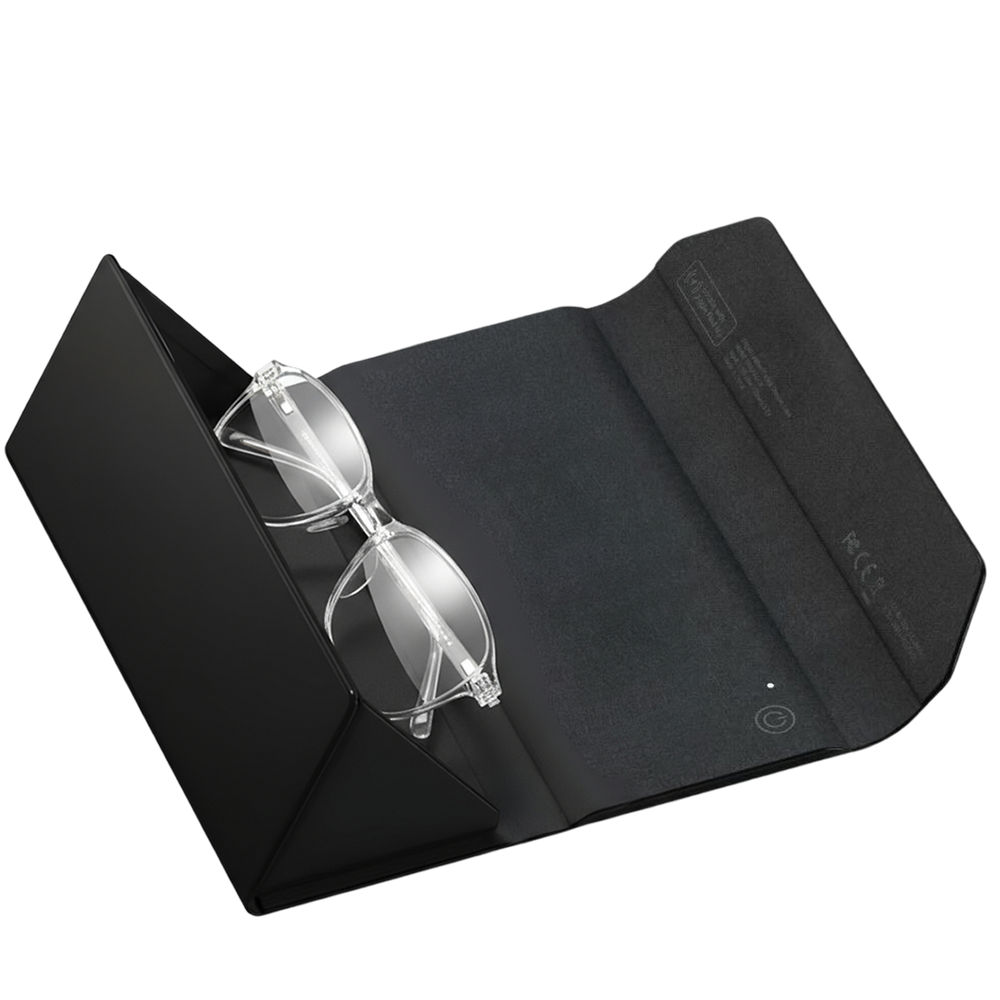
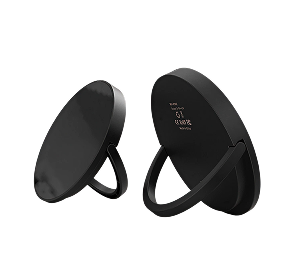
The Spotminders Luggage Tag helps iPhone users locate a bag through Apple Find My. It attaches to the bag and includes a built-in audible alert for nearby finding, making it suitable for checked luggage, carry-ons, backpacks, gym bags and golf bags.
The Spotminders Tracking Card is the pocket option. It's a 1.8 mm card made for wallet slots, and that same flat shape fits a bag's inside pocket. Keep the pocket zipped so the card can't slide out.

We’ll follow a hypothetical bag through this guide: a gray hard-shell suitcase you’re checking on a trip with one connection. It has a rigid top handle, so it gets a tag.
If your bag has a handle or loop that'll hold one, we'd go with the tag. You can see it's still there at a glance, and there's nothing to dig out of a pocket.
That's how we think about tracking in general. Build it into the shape of the thing it goes on, and for a suitcase, that shape is a luggage tag. Every traveler already knows how to use one.
Pair and test it before leaving home
Once the tracker's in your hands, charge it, then pair it with the iPhone you're taking on the trip. The Luggage Tag goes on a wireless charger first, and a full charge lasts up to one year.
Then follow Apple's guide to adding a third-party item. The steps go in this order:
- Go to the Find My app on your iPhone.
- Follow the manufacturer's instructions to make the item discoverable.
- Tap the Add button, then choose Add Other Item.
- Tap Connect, type a name and select an emoji, then tap Continue.
- Tap Continue to register the item to your Apple Account, then tap Finish.
Your screen might show Items and Add Item instead. In that case, the path is Items, then Add Item, then Other Supported Item.
If the tracker's still registered to someone else's Apple Account, they'll have to remove it before you can add it.
Name it after the bag it's going on. Here, that's Gray suitcase, which makes sense to you and to anyone at a baggage desk.
Now test it at home. Tap Items, tap Gray suitcase, and check that a location and a time appear below the name. Tap Play to hear the tag's alert, then tap Stop Sound.
If you hear the alert and see a fresh time under the name, the tag's charged and paired. What it reports from an airport later depends on which Apple devices happen to be near your bag, and that part's out of your hands.
Check your airline's policy before packing
If your flights are booked, pull up the confirmation and note every airline that'll carry your checked bag. Then look up each one's current baggage rules. A connection can put your bag on a partner airline's flight, so read that airline's rules too.
For the Luggage Tag, our airline guidance is "Permitted by most carriers; check your airline's current policy."
If you're packing a second tracker, like a card in another bag, check that one against the policy separately. A rule about one tracker or battery doesn't automatically cover another.
Read the policies close to your departure date, because the one that counts is whatever's current when you fly. Use the airline's own page, and skip the forum threads and old articles. If a page leaves you unsure, contact the airline before travel day.
For the gray suitcase, the confirmation shows one airline on the first flight and its partner on the second. So that's two policies to read before you pack, and both have to allow a tracker in a checked bag.
Keep the tracker attached to the bag you're checking
With the tag paired and the rules read, attach it to the bag you'll hand over at the desk, on the sturdiest handle or strap loop it has. Do it at home, where you can give it a good tug and make sure it holds.
Pick the spot by how well the tag holds on, since that's the part you can check yourself. On the gray suitcase, it goes on the rigid top handle.

Then make sure the name matches the bag. Open Find My and check that the item called Gray suitcase is the tag that's now on the gray suitcase. If you've swapped tags between bags since your last trip, rename the item now, so the app and the airline are talking about the same bag.
If you're checking two bags, use two trackers with two names, so each report points to one bag.
At the desk, the agent tags your bag and hands you a baggage receipt. Keep it with your boarding pass. That receipt is what you show the airline if the bag doesn't turn up, and the tracker doesn't replace it.
When you walk away from the desk, the bag's tagged and named in Find My, and the receipt's in your pocket. Do the same check before the flight home, since the tag and the name need to match on that trip too.
Read the reported location during your journey
Once your bag's checked and you've got a minute, at the gate or during your connection, open Find My, tap Items, then tap the bag's item. The map shows where the tag was last detected. Apple's item guide notes that the location and timestamp appear below the item's name.
Apple describes the Find My network as Apple devices that use Bluetooth to detect an accessory and report its approximate location to the owner. So every report depends on someone's Apple device passing close enough to your bag.
Look at the time before the place. A recent report tells you where the bag was at a known moment, and an older one only tells you where it used to be.
Expect gaps between airports. There may be no Apple device anywhere near the tag in a plane's hold.
So does a stretch with no new report mean something's wrong? Not by itself.
Connections are where to pay attention. SITA's 2026 baggage analysis (that's the baggage-systems company from earlier) linked 39 percent of 2025's mishandled bags to transfers between flights. See SITA’s baggage analysis.
At your connection, you open Gray suitcase and the pin's on the departure airport, with a time from before your first flight took off. The tag was detected there at that time. The report can't tell you whether the bag made the first flight, so you note the time and look again after you land.
After you land, the pin's still on the departure airport, with the same time and nothing newer.
| What you see in Find My | A reasonable next action |
|---|---|
| A recent report at the departure airport | Carry on with your trip. The tag was detected there after check-in, so look again after your next landing. |
| An older departure-airport report while you're at your connection | Note the time, expect a gap between airports, and check again when you land. |
| A report at the arrival airport | Wait at your flight's carousel. If the bag doesn't come out, give the baggage desk that place and time. |
| No fresh report since check-in | If the bag doesn't appear on the carousel, report it to the airline before you leave the airport and mention the last place and time shown. |
Use the location alongside the airline's missing-bag process
If the carousel's stopped and your bag isn't on it, go to your airline's baggage service desk before you leave arrivals, and bring your baggage receipt. File a missing-bag report there and ask for its reference so you can follow up.
Report it right away. The U.S. Department of Transportation encourages travelers to report a bag as soon as it does not arrive. You do not need to wait for the airline to declare it officially lost before reporting it missing.
Your tracker's last location backs up that report. Give the agent the place and time shown under the item's name. The report is the airline's record of your missing bag, and the location adds to it.
Some Find My accessories also support Share Item Location. If yours does and your airline accepts it, Apple's Find Lost Item guide explains how to make a temporary link showing the item's approximate location. Apple says the link helps partners such as registered airlines locate the item on your behalf.
To create the link, you'll need iOS 18.2 or later on iPhone, iPadOS 18.2 or later on iPad, or macOS Sequoia 15.2 or later on a Mac. The link expires after seven days or when you're reunited with the item, and you can stop sharing it whenever you want. Apple notes the feature isn't available in every country or region.
For the gray suitcase, you take the receipt to the desk and file the report. You tell the agent the tag was last detected at the departure airport, at the time shown. After that, keep an eye on Gray suitcase in Find My and pass any newer report to the airline under your reference.
What should you prepare before tracking luggage with Find My?
Have the tracker charged and paired to your iPhone under the bag's name, then attach it to that bag at home. Check the current policy of every airline on your ticket, and decide where the baggage receipt's going to live.
That gives you a place and a time to check whenever an Apple device reports the bag. If the bag doesn't show up, the airline's own process does the tracing, and your tracker gives it something to go on.
The Spotminders Luggage Tag is a practical choice for iPhone users who want a Find My tracker attached to a suitcase. It provides a reported map location and a nearby audible alert, and recharges wirelessly. Attach it securely and test it before your next trip.
Sources
- SITA. 2026 Baggage IT Insights release, June 30, 2026. Source
- SITA. Baggage handling trends 2026 (SITA Baggage IT Insights). Source
- Apple Support. Add a third-party item in Find My on iPhone. Source
- Apple Support. Locate an AirTag or other item in Find My on iPhone. Source
- Apple Support. Use Find My to locate your lost Apple device or AirTag. Source
- Apple Support. Find Lost Item: Share Item Location. Source
- U.S. Department of Transportation. Lost, Delayed, or Damaged Baggage. Source
- Spotminders. Tracking Card product details and specifications. Source.
- Spotminders. Luggage Tag product details and specifications. Source.